Omniwithdrawals
 Early Payouts
 Crypto Wallets
 Advances
 Express
 vIBAN
vIBAN Music
Music Facebook distribution
 Team Finance
 Webmon
 YouTube Playables
 Viral Music
 Influencer marketing
 Affiliate program
 About Us
 Services
 Security
 Finances
 Careers
 Blog
Blog
The click-through rate itself shows the percentage of cases in which a user clicks on your video after seeing it in their feed. So today we’re going to tell you about strategies that will help you maximize your CTR. Let’s go!
What is a Good Click Through Rate on YouTube?
First, let’s figure out how CTR is calculated. The formula is quite simple:
Clicks / Impressions x 100
So, if your video was viewed 500 times and clicked on 25 times, the click-through rate for the video would be 5%. It doesn’t seem like much, does it? However, YouTube considers a CTR of around 2-10% to be good, with 10% being an excellent hit rate for your target audience. If you can get it higher than that, great! Then everyone will see your video. If it hangs around 0-2%, then you have to do something about it urgently, otherwise it’s gonna really hurt your channel. It’s also very nuanced, but we’ll talk about that a little later. For now, remember:
- Anything below 2% is a very low CTR,
- 4-6% is an average, normal figure, which means that your video has attracted attention,
- Above 10% is a high CTR and an excellent metric for most videos.
You can check the click-through rate of your videos in YouTube Studio → Analytics → Content → Impressions and CTR. There you’ll find:
- total number of views,
- CTR of each video,
- information about how your videos are clicked on most often (through recommendations, search, or subscriptions—all of which have different “weights” for CTR, but we’ll talk about that later).
Keep track of the statistics for each video and be sure to analyze the data. This will help you determine which thumbnails and topics perform best.
There’s one more point to clarify. We always tell all our partners one simple thing: YouTube loves it when creators play by its rules. Sure, sometimes it takes time, and working on video design can be tedious. But if you do everything right, you increase your chances of being noticed by the algorithm. In order to know whether your videos are set up correctly, you should regularly conduct a quality YouTube channel audit. The experts at Mediacube can help you with this — just get in touch.
What Affects YouTube Click Through Rate?
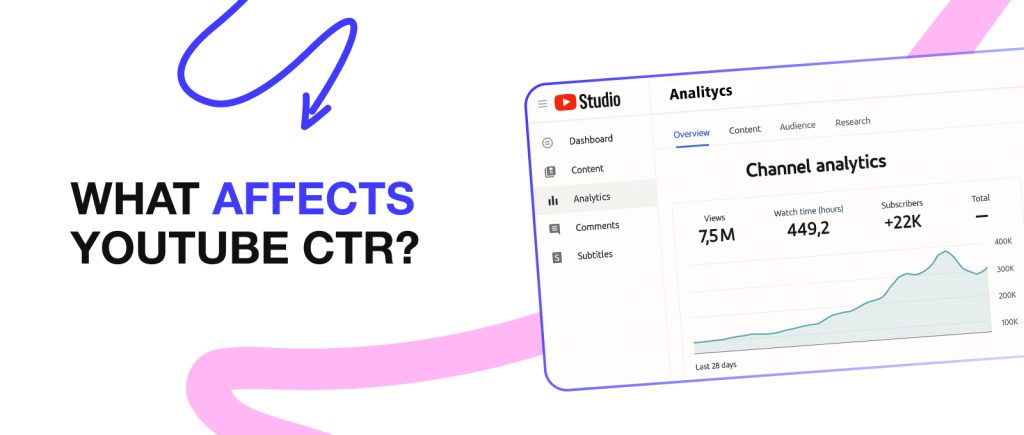
Essentially, Click-Through Rate reflects how well you have worked on your video and whether you have taken into account all the necessary nuances in order to rank as high as possible in search results. So we can say that CTR is directly influenced by:
- Thumbnail
- Title
- Video description
- The first few seconds of the video
- Traffic source
- Target audience
- Competition
- Frequency of posting
- Channel reputation
Plus, you shouldn’t measure the click-through rate right after the video comes out. Why? The thing is, fresh videos are immediately displayed in the feed to people who watch content similar to yours, and then they decide whether to click on it or not. Consequently, the CTR for the video will be high at first. However, over time, the indicator will obviously decline, and after a while you will be able to obtain a more objective result.
So you need to be aware that looking at click-through rates without context is pointless, especially if you’re just starting out. Here’s a simple example. Which CTR would be better: 12% in a narrow niche with 500 impressions or 5% with 1 million? The second one, of course. You should keep these things in mind.
By the way, we recently put together a great guide: Expert YouTube Growth Tips. We’re sure you’ll learn a lot of useful stuff from it!
For now, let’s take a closer look at each of these points. This will serve as a kind of strategy for increasing your CTR.
How to Increase Click Through Rate on YouTube?

If you ask, “What are the main YouTube ranking factors?”, the answer can be summed up in one word: “quality.” The click-through rate is the main indicator of the work you have done. So it’s time to talk about the main factors that affect your channel’s views. You may already know some of this, but it’s always wise to revisit what you’ve learned.
Make thumbnails that you can’t take your eyes off
This is the first thing the user sees, so the thumbnail is perhaps the most important factor in attracting them. Not long ago, we posted an article about the best YouTube thumbnail examples, where you can check out our advice in more detail. There you can also learn about YouTube Shorts thumbnail best practices.
But in short, the thumbnail should match the theme of your channel, be bright and eye-catching. Don’t overload the image with text; it’s best to keep it within 3-4 words. Users respond well when the creator of the video is featured on the thumbnail, as this increases trust in the video.
Another tip: don’t limit yourself with just one thumbnail. Make several, preferably around 3, and conduct A/B testing on them. YouTube will tell you which one gets more attention.
And, of course, don’t mislead people. First of all, the platform itself does not like this. And second, if the thumbnail doesn’t match the video content, the user will probably watch only the first few seconds or a minute of the video. This will negatively impact your YouTube CTR.
Use catchy and concise titles
Also, keep in mind that you only have a few seconds to get the user interested in your video. So, try not to make it too long. Summarize the essence of the video in just a few words so that people can read them even when scrolling quickly. The optimal length is approximately 50–60 characters. If you make the title longer, it will be cropped on mobile devices, and nowadays people usually watch videos on their phones. This is something you always need to keep in mind. So a short and catchy title immediately shows what the video is about and increases the chance of a click.
Explain what you are going to talk about or ask an open-ended question, such as “Which match will burn faster?” And, of course, don’t use the same text on the thumbnail and in the title.
The video description should be clear
It may seem that the description has less of an impact on YouTube click-through rates, but this is not actually the case. Everyone loves neatness. So you need to concisely describe what your video is about and tag it correctly. This will help the algorithm identify your video correctly and recommend it to the right audience.
The first few seconds of the video are crucial
Creators, as well as Mediacube experts, agreed that the most important parts of a video are the first 5, 10, and 15 seconds. This is important because if users stop watching your video too quickly, the algorithm interprets this as a problem and stops promoting it. So you should always try to fill these intervals with the most interesting content or a striking announcement. If you manage to hold the viewer’s attention after 15 seconds, they will most likely continue watching the video. This, in turn, has a positive impact on the click-through rate.
The perfect structure for the first few seconds looks something like this:
- Hook: you have to hook the viewer in the first few seconds. For example, ask them an intriguing question or tell them a little-known fact. It could be a striking statistic or an emotional phrase that will compel the user to keep watching the video.
- The repetition of the “promise”: the same thing that is on the thumbnail and in the title of the video. You sort of “promise” the viewer what they will see when they click on your video. And immediately after the hook, you must confirm this “promise” so that the person knows they haven’t been tricked and can continue watching.
- Announcement: next, you explain what will happen in the video and what questions you plan to answer. This will give viewers an idea of how your video is structured and what they should pay attention to.
Another important thing is that the very first scene of the video should echo the thumbnail. This helps viewers recognize the video and be sure that they didn’t click on the link by accident.
Monitor your traffic sources
As we mentioned above, YouTube CTR figures vary depending on where the user came from. If it’s from recommended videos, the average click-through rate will be 2-10%. From the home page it will be approximately 2-5%. Search results will be 5-15%, and so on.
Target your audience’s interests
You must study your audience, because each category of users reacts differently to thumbnails and titles. Young people prefer bright and eye-catching imagery. YouTube CTR is higher in this category, but it is harder to hold the attention of children and teenagers. Middle-aged people, on the other hand, watch videos to the end more often, but are much more thoughtful in their choice of what to watch.
If you are making entertainment content, you are more likely to attract attention through emotions. But if you are dealing with educational content, for example, then correct attitude, choice of topics, and authority are more important.
You should also consider the region you are filming in. For example, residents of Eastern Europe prefer contrasting thumbnails, while in the US, people tend to favor subtle designs and useful videos.
Let’s take a closer look at this.
By knowing your target audience, you can also figure out the best time to post a video so that it can get good results right from the start. Let’s say you make videos about sports, and your target audience is guys over 25 who mostly watch YouTube in the evening after work. So, there’s no point in posting videos in the morning: by the afternoon, they’ll just get lost in the clutter. As you know, YouTube CTR will also drop because of this.
Or, for example, you are involved in analytical content in the financial sector. In this case, there is a chance that your videos will perform best in the middle of the day, when your main target audience goes to lunch. And as you know, many people prefer to eat lunch while watching YouTube.
Either way, you’ll always need to change things up and experiment with your posting time: YouTube is constantly updating its algorithm, so what worked yesterday might not work today. So keep an eye on your YouTube CTR metrics.
Add keywords to the title and description
This helps the YouTube algorithm show your video to people who are searching for similar topics. This is especially important for search: if the viewer sees that the video answers their query, it will help you increase your CTR. You can learn which words are currently popular by using Google Trends or the vidIQ service, for example. By the way, we recently posted a guide on YouTube SEO optimization techniques, you can learn what really works there.
Use timecodes to keep viewers engaged
Tags themselves do not increase CTR, but they make the video more user-friendly. The clear structure of the video shows that a viewer can quickly find the segment they are interested in, which in turn increases retention and indirectly helps the algorithm to show the video more often in the feed.
Use hashtags, it will help
Hashtags don’t affect CTR growth significantly, but they are another unique aid for the algorithm, thanks to which you can increase the chances of your video being seen by your target audience.
Keep an eye on your competitors
If you work in trendy niches with a large number of creators posting content alongside you, it is absolutely essential that you constantly improve your skills. Especially if you work in fields that require quick reactions, such as news. Constantly study your competitors, look for new approaches to presenting information, seek out new ideas, including from other creators (but don’t forget that they will be watching you too :))
Set the frequency of posting
The YouTube algorithm needs to know that you haven’t abandoned your channel. There is no need to post three videos every day, this will only dilute your audience. But depending on the content, you can release episodes daily, weekly, or at least once every few weeks if you need more time to prepare. Very few creators can afford to go months without releasing videos and still get good views. But here we come to the next point.
Keep an eye on the channel’s reputation
Yes, it’s always harder for beginners. But if you’ve been on YouTube for a long time, have an active community, and haven’t had any major problems with the platform, the algorithm will still pay attention to your video, which will help with your click-through rate. So your reputation is important not only for viewers, but also for the algorithm.
Promote your videos on different platforms
Don’t forget that to promote your video, you need to use not only YouTube’s algorithm, but also your entire audience on Instagram, TikTok, Facebook, and other social media platforms available to you. There are no minor details in this matter, so other platforms help attract traffic. Moreover, if someone subscribes to you, they are more likely to watch your video, which will have a positive effect on retention, and therefore on CTR.
Construct compelling storytelling
Just recently, we published an article on the topic of storytelling. Remember that a good story always attracts viewers. So if you’ve created a good suspense and structured the narrative correctly with an exciting plot, you’ll definitely attract new viewers.
Create video series and combine them into playlists
Of course, you don’t have to create real TV shows like on Netflix. But you can group your videos together under some common theme. For example, a series of videos where you fly on luxury flights. Or you talk about famous people. Once you have enough themed videos, you can create a playlist based on them, and if users like the format, they are more likely to keep watching your videos.
Teasers in Shorts help a lot!
Again, nothing is stopping you from promoting your video through Shorts. Make a short but vibrant teaser in which you describe in a few seconds how impressive your video is and what viewers can expect. If you can get the viewer interested and they click on your link, this will signal to the algorithm that your video should be ranked higher in the search results.
Don’t forget about A/B testing
We have already discussed this, but we believe we should emphasize the significance of this feature once again. We would even go so far as to say that we strongly recommend making A/B testing a habit. Even if you think you’ve achieved perfection and just created your best thumbnail, it’s better to compare it with another one and let YouTube tell you which image will perform better. Sometimes even the smallest changes can increase your click-through rate.
Be sure to add captions and subtitles
Quite a large number of users watch videos without sound, so having subtitles in your video can work in your favor. This is especially true when it comes to autoplay and the first few seconds of a video: if a person has their sound turned off, they are more likely to decide to watch a video with subtitles. And this will help you with your CTR.
Unconventional Ways to Increase CTR

- A misleading title or a minor detail on the thumbnail
- The key here is not to use clickbait, but rather to create intrigue to make people curious about what they will find in the video. Try breaking the logic to hook the user!
- Vertical thumbnails
- Yeah, it might seem like we’re contradicting ourselves. But just imagine the main page, where all the thumbnails are horizontal, and yours is vertical. Users will be intrigued by this approach on a subconscious level because your video will stand out from the crowd.
- Dark thumbnail
- This is the same effect as in the previous point. Most creators try to make super-bright thumbnails, but you can play with this and make your thumbnail stand out from the rest. It will contrast heavily with the rest of the feed and encourage users to click on it.
- Cropped title
- Here we are creating intrigue again. Don’t tell the viewer the whole point of the video; let them get interested in what they’re about to see. For example, “After that I felt sick…” — consider this an open question for the user.
- Direct address to the viewer through the thumbnail
- “You can make money off this!” or “How about making some money?” Everyone wants to learn how to do it…
Why a High CTR Isn’t Always Good
Let’s go over this point again, because it seems absurd only at the first glance. Our goal here is to increase YouTube CTR, but now it turns out that it may have the opposite effect. So what’s the deal with it?
The algorithm takes into account not only clicks on thumbnails, but also user engagement. If viewers click on your video but don’t watch it for more than about 10 seconds, the platform considers this a bad sign. YouTube values audience retention, total watch time, and engagement just as much. So if users quickly turn off your videos, the algorithm may count this as spam and start lowering your ranking in search results.
So, make sure to keep an eye on metrics like:
- Average watch time.
- Audience retention in the first few seconds of a video.
- Engagement (likes, comments, subscriptions).
So your task is not just to get users to click on your video, but also to retain them with high-quality content.
What Tools Can Be Used to Analyze CTR?
- YouTube Studio.
The most basic and reliable way to track your click-through rate. Here you will find all the information you need for analysis. It has a convenient and user-friendly interface and a familiar system. - vidIQ.
A useful tool that will help you expand your options for working with YouTube. Apart from the features already available on the platform, here you can run A/B tests on your thumbnails and analyze the effectiveness of your titles. In addition, the tools here can suggest keywords and analyze your competitors’ content. - Google Trends.
Here you can find the topics that are currently most popular on YouTube. This could help you make a highly relevant video. - Mediacube.
We have been working with the platform and creators for over 10 years. That’s why our team is well versed in all the latest trends and we are always happy to help our partners. Plus, we provide free access to YouTube content creator tools, such as vidIQ, which you can use however you want.
And, of course, we offer other useful and beneficial services to creators. With Mediacube, you’ll learn about all YouTube monetization methods and get the chance to withdraw money in 10+ ways and in pretty much any national currency you need.
Moreover, with our MC Pay app, you will be able to receive money daily rather than monthly. This is available with our Expresses service. We also provide our clients with Advances: up to 10 of your monthly earnings from YouTube in a single payment.
Conclusion
CTR is a very important metric on the platform, but it is not the only one. The click-through rate shows whether you are working with other indicators correctly and how users respond to your video. Therefore, be sure to monitor retention, watch time, engagement, and so on.
When you work on YouTube, it is crucial to constantly analyze incoming data and draw conclusions from it. Sure, sometimes a video you really believed in doesn’t make it big, but another one that you put together in half an hour goes viral. But if you plan to earn a stable income on YouTube, you will have to look for the best options, make mistakes and succeed, and then succeed again and make more mistakes.
Keep in mind that CTR isn’t the be all and end all. It does matter, but you need to “feel” your audience. You can make a super bright thumbnail and an enticing title, but if your content doesn’t keep the user engaged, the video will quickly lose its appeal. And vice versa, even an average CTR can be effective if the viewer watches the video to the end.
Besides, CTR varies a lot depending on where the viewers come from. When searching, people look for specific answers, so always pay attention to titles and keywords. On the main page or in recommendations, people simply scroll through the feed and choose what might interest them, so you need to use emotion, intrigue, and unusual shots.
Keep experimenting and stay active. And, of course, enjoy what you do!
Good luck!