Omniwithdrawals
 Early Payouts
 Crypto Wallets
 Advances
 Express
 vIBAN
vIBAN Music
Music Facebook distribution
 Team Finance
 Webmon
 YouTube Playables
 Viral Music
 Influencer marketing
 Affiliate program
 About Us
 Services
 Security
 Finances
 Careers
 Blog
Blog
Best Monetization Tools for YouTube

A lot of creators face difficulties with monetization and withdrawals on YouTube. So how to monetize your YouTube channel? Here are the top 5 YouTube tools that will help make this process fast and enjoyable without too much investment.
- MC Pay
One of the most advanced and easy to use financial apps for YouTubers. What is its advantage? MC Pay offers 10+ popular withdrawal methods in the world’s most popular currencies. What’s more, you can even request your channel income for months in advance for any of your purposes. What other app can offer you such an opportunity?
- Patreon
Another cool international tool to increase your income. The mechanism of work is simple: viewers make monthly donations on the platform and receive exclusive content for it. In turn, the creator gets an additional source of income without additional investment of funds. Each YouTuber can customize their custom subscription levels and assign the most comfortable price for their audience.
Platform commission: 10% of the creator’s income.
Payment commissions: In addition, a transaction processing fee is up to 3.1%.
- Boosty
A YouTube tool that is similar to Patreon in a number of its features. It is perfect for those who want a simpler and more intuitive interface for additional earnings. A special feature of the tool is the support for local currencies and fewer functional restrictions for residents of the CIS.
Platform commission: from 5% to 12% depending on the plan.
Payment Fees: Additional transaction processing fees may vary by region and payment method.
- Google AdSense
We’re sure many creators have heard of this tool. It is the official system Google that is responsible for generating payouts for YouTube activity. It is reliable and transparent, perfect for those who don’t like to use third-party apps. However, direct withdrawals from AdSense are not available in all countries, which is where the above-mentioned apps come in handy.
- Amazon Influencer Program
We don’t think you knew about this tool, but it’s a great opportunity for extra income with minimal action. What’s so special about it? This is an affiliate program from Amazon, which allows you to leave links to products in the description under the video and get money for everyone who buys the product by clicking on your link. A great opportunity even for those creators who don’t have a very impressive number of subscribers yet.
YouTube Editing Tools
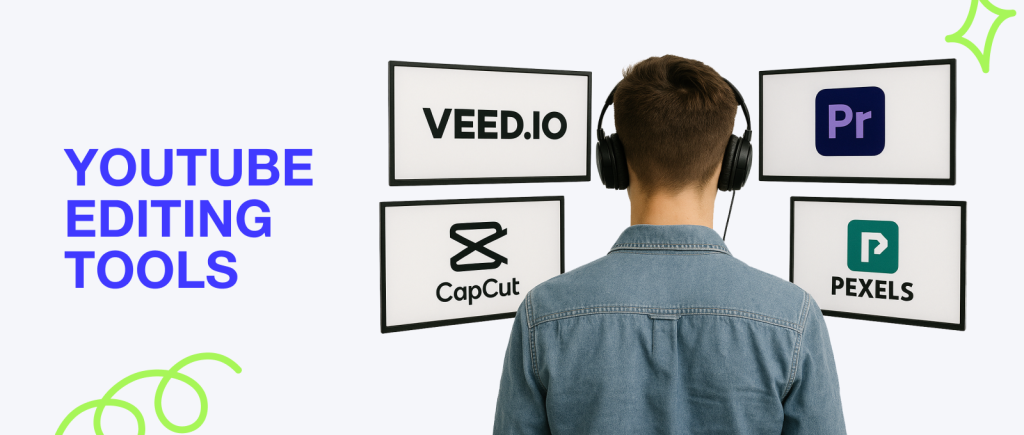
Another important step for the creator is video editing. Among all the tools, how to choose the ones that will really help you cut, polish, and publish videos in a way to keep viewers watching from the first second to the last… We have made for you a useful list of apps for YouTubers , which can help your videos reach a new level. Speaking of which, some apps are available on both desktop and phone.
- VEED.IO
Just starting to figure out video editing? Then VEED.IO is exactly what you need. With this tool you don’t have to download an app, everything is available right in your browser. User-friendly interface for beginners, automatic subtitles, a lot of filters and effects. It’s perfect for beginners to make quality videos. Be sure to test it right now.
Cost: from $12 per month
- Adobe Premiere Pro
One of the most professional and powerful video editing programs. The tool has a multi-level timeline to edit multiple videos simultaneously. On top of that, it supports plugins and extensions, video stabilization, quality color correction and integration with many Adobe products.
Cost: from $22.99 per month
- CapCut
Quite a popular tool among the TikTok audience. It can also be a cool sidekick for YouTube Shorts. Who says it can’t be used for YouTube? The app includes a simple and clear interface, a large selection of fonts and filters, quick addition of music, transitions and automatic subtitles, and the ability to use AI for editing. The tool works on both your phone and computer.
Cost: from $7.99 per month
- Pexels
Haven’t heard of this YouTube tool? You’re missing the opportunity to find cool stock photos and videos for your content. Large library of freebies, variety of content, easy integration into your videos and most importantly, it’s free to use even for commercial purposes. The tool is definitely worth your attention.
Cost: free
- Movavi
Video editing may seem complicated. With Movavi, you’ll change the way you think about it. A simple but very functional application for Windows and macOS that offers you easy-to-use video templates, interesting transitions, subtitles and captions for your videos, as well as screen capture and audio editing tools.
Cost: from $19.95 per month
Want to Grow Faster on YouTube?
Get a free channel audit from Mediacube experts. Identify what’s holding you back and receive a clear action plan to boost your growth.
Get a Free AuditBest YouTube SEO Tools

Trust us: YouTube channel is not only about beautiful visuals and interesting videos. It’s also about optimization and working with statistics. And when we talk about YouTube channel audit tools, SEO immediately comes to mind. What tools can help you improve your channel’s performance? Here is our selection of cool tools for that.
- VidIQ
A popular extension for auditing your channel. Includes keyword and competitor analysis, recommendations for content improvement, selection of relevant hashtags, and convenient monitoring of changes in your channel stats. Both beginners and advanced creators can figure out how to use it. By the way, if you connect to our Mediacube CSP, you get free access to this tool.
Cost: from $7.50 to $415 per month
- Ahrefs
A great SEO platform that is designed for video optimization for search queries. It helps with in-depth analysis of your channel, your content, videos of your competitors, looking at search traffic and analyzing promotional complexity. Moreover, the tool gives advice on external promotion of videos through referral links and other additional sources. Ahrefs have a free trial period, but with a limited number of features.
Cost: from $99 to $833 per year
- TubeBuddy
Have you heard of this app? It’s an official YouTube SEO tool that works as a browser extension. What are the features of TubeBuddy? Automatic selection of tags and keywords, A/B testing of the entire video text, optimization of the video title and description, and easy scheduling of video publications. It’s perfectly suitable for professional use.
Cost: from $3 to $49 per month
- TubeRanker
A cool platform for aspiring YouTube creators. What can it help with? Auditing your channel and individual videos, selecting cool video titles and hashtags, generating SEO-optimized descriptions, as well as global analysis of competitor content in your niche.
Cost: from $19 per month
- RapidTags
Another cool YouTube tool, and, by the way, it’s free. With it you can: instantly create high-quality tags for videos, analyze videos, generate catchy titles, and remove duplicates and spam in hashtags. Don’t know why your video isn’t getting promoted by YouTube? RapidTags will quickly answer that question.
Cost: free
Professional YouTube Keyword Tools
One of the most important tools of YouTube optimization is keyword management. Handling this aspect manually can be exhausting and difficult. That’s why we offer a selection of 5 YouTube tools for working with text and keywords for your videos.
- Sprout Social
One of the best YouTube tools for social media management, including analytics and keyword monitoring. The main advantages of the app are a free trial period, analysis of popular topics, trends and keywords, and integration with different social media platforms besides YouTube.
Cost: from $199 to $399 per year
- Keyword Planner
Although this tool is free, it has a number of useful features that are essential for every creator. Among them are query frequency and competition data, word filters by region and languages, and official support from Google Ads. A great tool for aspiring YouTubers.
Cost: free
- YouTube Autosuggest
What makes this tool different from others? It’s a built-in YouTube search autocomplete feature that shows popular searches based on the words you enter. It helps for quick analysis of topics and relevant tags. It can be used both for searching long queries and for the usual analysis of tags and their relevance. A cool tool to figure out what your audience is searching for right now.
Cost: free
- Hashtagify
That’s a pretty telling title, isn’t it? Overall, this tool helps you analyze tags on social media, as well as track trends and their effectiveness. A cool perk of the tool is the ability to take advantage of the free period, simultaneous support for multiple platforms, and built-in hashtag recommendations.
Cost: from $19 to $249 per month
- Keywordtool.io
Another cool online tool to help you quickly figure out your keywords. It supports YouTube, Google, Bing, Amazon, works with specific queries, and includes language and region filters. If you’re just starting to figure out optimization, this tool will be the best choice for you.
Cost: from $89 to $199 per month
Analytic Tools for YouTube
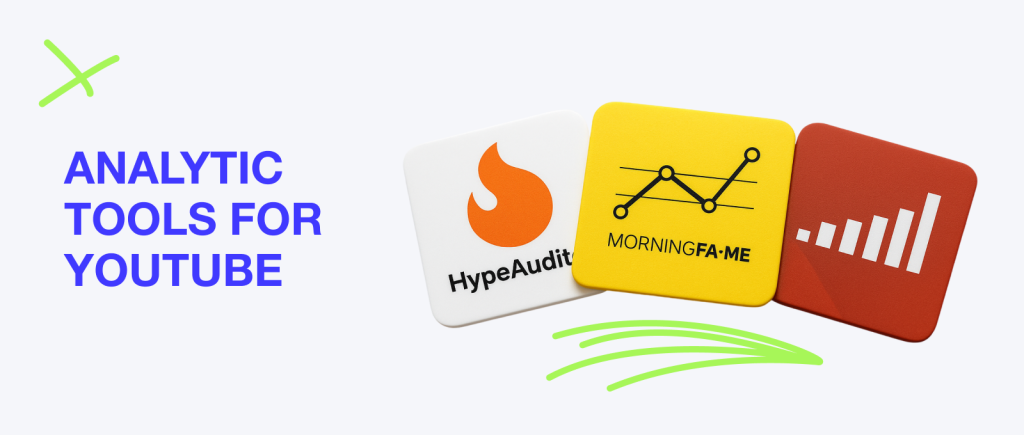
You can never have too much analytics when it comes to your channel and Youtube Content ID. How do you analyze your channel in even more detail? With the tools we offer below, this question will be solved quickly and professionally.
- Social Blade
This is a popular analytics app not only for YouTube, but also TikTok, Instagram, Twitch, and Twitter. Among the cool features are: detailed analytics of the channel and forecasts for its future development, professional monitoring of competitors and indicators of their content, as well as estimation of projected revenues for each of your videos. Social Blade is definitely worth using for quality work with statistics.
Cost: from $4.50 to $120.00 per month
- HypeAuditor
A professional tool that will help you grow your YouTube channel . Among its obvious advantages are detecting bots among subscribers, demographic analysis of the audience, efficiency reports, and support not only for YouTube, but also Instagram, TikTok and other platforms.
Cost: from $299 to $499 per month
- MorningFame
Another great tool to help grow your channel that focuses on growth and SEO. Its features include detailed video performance reports, keyword analysis and SEO recommendations, viewer engagement tracking, and the ability to create a video publishing plan.
Cost: free
- Google Trends
Another free tool used by a lot of SEO specialists in their work. And you should too! With it, you can analyze the growth of interest by search queries and keywords, distribute queries based on viewers’ location, and identify the seasonality of certain trending video ideas.
Cost: free
Best Thumbnail and Visual Tools for YouTube

Quality visuals for video are like the cherry on the cake: always eye-catching. So, thumbnails are worth paying special attention to. What programs should be used? Let us share with you a couple of them below. If you want to take thumbnails to the next level, you can turn to Mediacube for professional help.
- Canva
A very popular tool, you’ve surely seen their ads on YouTube. And for a reason: Canva has a lot to offer for creators. Ease of use, dozens of templates for thumbnails, lots of interesting graphics and fonts, and the ability to collaborate on projects. You should definitely try this app for yourself.
Cost: from $0 till $14.99 per month
- Photoshop
How can you imagine a creator’s job without Photoshop? That’s right, it’s impossible. After all, this tool feels like it was created for YouTube visuals specifically. It can offer dozens of features for creating creative thumbnails, support for working with multiple layers and masks, detailed color management, textures and effects, as well as other customization options. Of course, the program will be hard for beginners, but it’s worth mastering sooner or later.
Cost: from $19.99 to $59.99 per month
- Unsplash
Sometimes a YouTuber’s work needs stock images to beautify and enhance thumbnails. Unsplash offers such an opportunity for free! Wide photo resolution, large library of material, and again, freedom to use them without copyright. You can also purchase the paid version to get even more materials in better quality.
Cost: from $0 to $5 per month
- Adobe Creative Cloud Express
Adobe is not only known for its video editing programs, but also for its visuals tools. Adobe Creative Cloud Express is a handy online tool for quickly creating visual content. Its interface is simple and clear, and its functionality is not inferior to the programs above. In addition, all apps from Adobe are easily integrated with Creative Cloud Express materials, which improves the user experience and makes work easier.
Cost: from $9.99 per month
- Jasper
Another unusual AI-based visualization tool. It can not only suggest video titles, but also generate ideas for catchy thumbnails, and quickly implement the idea in a visual editor, as many programs easily integrate with Jasper.
Cost: from $39 to $99 per month
AI YouTube Tools

AI has long been a trusty sidekick for many creators. It helps work on video scripts, content ideas, and visual components of videos. We’ll share with you those YouTube tools that are really worth trying.
- Social Pilot
A handy AI-based tool to help you with your content planning. Also among Social Pilot’s features are analytics and reports to evaluate video effectiveness, the ability to collaborate on a project, and automation of reposts and RSS feeds.
Cost: from $30 to $100 per month
- Sendible
An interesting tool that is often used by marketing agencies. Sendible offers a dashboard for monitoring all accounts, tracking creator/brand mentions online, automating publications and detailed content planning.
Cost: from $29 to $299 per month
- Filmora
We could have included this tool in our selection of video editing programs. However, it stands out with AI integration that makes working on videos even more efficient. In Filmora you can use an impressive set of effects, transitions and filters, render videos quickly, apply automatic subtitles and AI voiceovers, and work with high-quality videos.
Cost: from $40 per year
- Camtasia
Camtasia sets itself apart from other screen recording programs by integrating AI, which makes working with video footage even more efficient. The tool also includes an internal editor for editing with effects and animation, a lot of automatic templates for working with video, and the convenience of quick integration with popular video platforms.
Cost: from $300
- Zoho Social
Now CRM works in conjunction with AI, too. Zoho Social proves it by example. Scheduling and automating Facebook, Twitter, Instagram, LinkedIn posts, content analytics, monitoring collaboration participation of all team members, and more.
Cost: from $15 to $99 per month
YouTube Audio Tools
The secret of a video that soars to the top of the Recommended page is not only in high-quality editing and interesting script, but also in professional sound. With these 5 tools for YouTube videos you will be able to work with the audio track more efficiently.
- Audacity
A free tool for detailed audio editing. What does Audacity have to offer? Extensive audio recording and editing features, a large number of plug-ins and effects, and smooth and clear operation on all operating systems.
Cost: free
- Ocenaudio
Ocenaudio’s simple interface makes this tool as user-friendly as possible for beginners. Among the app’s advantages are fast processing of large files, as well as support for VST plug-ins and effects. Great for quick work with video audio tracks.
Cost: free
- DaVinci Resolve
Although DaVinci Resolve is better known as a tool for video editing, it can also work with audio. What else does this application offer? Built-in professional audio editor Fairlight, high-quality color correction and dozens of other tools that will make your videos even better and more expensive.
Cost: from $0 to $295
- Logic Pro X
Logic Pro X is a professional app for working with audio. It includes a huge set of tools and sound libraries, tools for processing and enhancing audio tracks, support for MIDI and third-party plug-ins, and tight integration with Apple applications. Suitable for both musicians and creators who really care about sound quality in video.
Cost: from $199.99
- After Effects
After Effects boasts not only its animation tools, but also an impressive array of features for working with audio. It integrates with Adobe Premiere Pro and other Adobe apps, offers many tools for processing audio and video, and will please creators with a large number of templates. In short: a godsend for any YouTuber.
Cost: from $20.99 to $31.49 per month
Conclusion
Working with a YouTube channel and content for it can be time consuming. You have to think about the difficulties of video editing, all the conditions of monetization, as well as paying close attention to statistics and optimization. Doing this without good tools seems impossible. Nevertheless, we are sure that you will find a “helper” among the tools we listed. And if you still have any questions, be sure to learn more about Mediacube services. Our team will definitely help you with all-round development of your channel.