Omniwithdrawals
 Early Payouts
 Crypto Wallets
 Advances
 Express
 vIBAN
vIBAN Music
Music Facebook distribution
 Team Finance
 Webmon
 YouTube Playables
 Viral Music
 Influencer marketing
 Affiliate program
 About Us
 Services
 Security
 Finances
 Careers
 Blog
Blog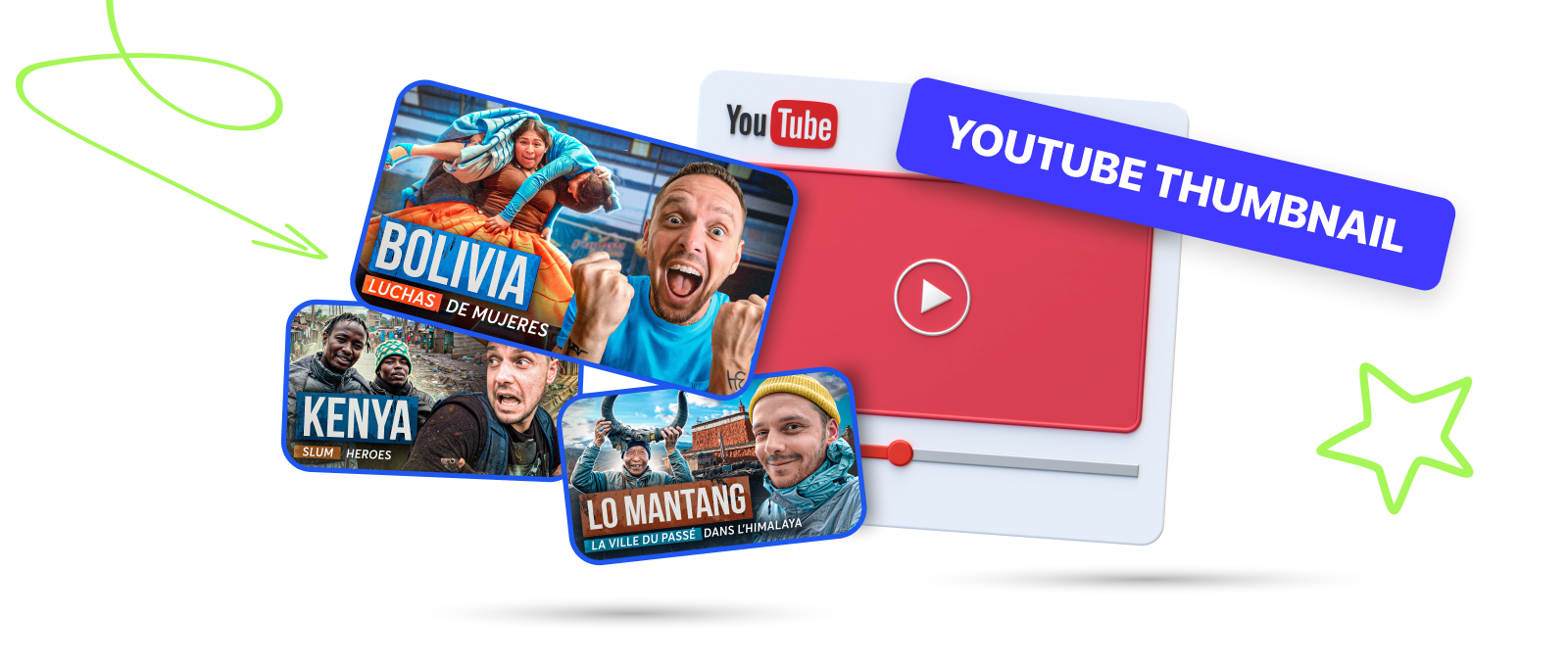
In one of our materials, we have already discussed how Thumbnails Affect YouTube Video Views. It might seem pretty obvious: YouTube thumbnails are the first thing a viewer notices. However, there’s been some discussion in the creator community that thumbnails aren’t as important anymore because of the auto-play feature on mobile devices.
However, the experts at Mediacube are confident: YouTube thumbnails both have played and are still playing an important role in promoting your videos. So today we’re going to give you some practical tips on how to work with thumbnails.
Optimal Thumbnail Sizes for YouTube

The platform has clear guidelines on what the size of the thumbnails should be. If you stick to them, YouTube algorithm is more likely to pay notice to your videos.
- Resolution: 1280×720 pixels
- Minimum width: 640 pixels
- Aspect ratio: 16:9
- Remain under 2MB for videos or 10MB for podcasts.
- Try to use a 16:9 aspect ratio as it’s the most used in YouTube players and previews.
- For podcast playlists, upload a thumbnail with an aspect ratio of 1:1 instead of 16:9 (1280 x 1280 pixels).
Why is 16:9 the best option for YouTube?
Again, these are requirements of the platform itself. YouTube shows thumbnails in 16:9 on all devices – computers, phones, and TVs. And if you don’t stick to it, the picture will most likely be automatically cropped, which will definitely degrade its quality and clickability. So using the 16:9 ratio ensures that your YouTube thumbnail will be displayed correctly.
What are the Rules and Regulations for YouTube Thumbnails?
Like virtually every other element on YouTube, first and foremost your thumbnail shouldn’t violate community guidelines. Thumbnails must not contain:
- Nudity or sexually provocative content
- Hate Speech
- Violence
- Harmful or dangerous content
- Images that do not match the content of the video.
In the event that this happens, YouTube can:
- send a warning, after which you will need to undergo special training on how to work with the guidelines;
- send a second warning if you fail to comply with the previous point;
- on the third warning, your channel will be terminated.
The channel will also be subject to termination in case of multiple violations or one serious non-compliance with YouTube’s requirements (community guidelines or Terms of Use).
YouTube has a limit on thumbnail uploads, which depends on the country/region and history of your channel. Copyright strikes and community guidelines violations can also affect this. So if you get the message “Daily custom thumbnail limit reached”, try changing the thumbnail again in 24 hours.
How to Upload a YouTube Thumbnail

This feature will be available to you during the video posting itself. YouTube itself will prompt you to choose the image you want and set it as your thumbnail. The system will also offer you its own options for a thumbnail, but we don’t recommend using them because a single frame from a video is unlikely to get enough attention. So while uploading the video, click on the “Custom thumbnail” button.
Sometimes there will be times when you need to replace your YouTube thumbnail. You should do this if you’ve found a mistake, but more often than not, if you see that a video isn’t gaining enough views within the first hour of posting.
For such cases, we always recommend preparing 2 or 3 thumbnail options at once and A\B testing them. YouTube has had this feature for quite some time now, and the platform itself tells you which thumbnail will pop the best.
So, to change a YouTube video’s thumbnail on your PC, you need to do the following.
- Open the YouTube Studio app
- Select the video you want to edit and tap the pencil icon next to it.
- Upload the image you want
- Save changes
After that, the thumbnail of your video will automatically change.
In order to perform the same operation from your phone, you need to do almost the same steps: open the YouTube Studio app, find the desired video, click on the pencil icon in the upper left corner of the image, select the desired picture and save the changes.
How to Create a Proper Thumbnail for a YouTube Video?

Overall, the approach to creating YouTube thumbnails is constantly changing, so it’s important to keep up with trends and experiment in this matter. Perhaps the main thing here is to keep a balance, to maintain the style of the channel and not to overload the viewer with unnecessary information. You have a couple seconds for the person to understand what your video is about, and then they’re much more willing to open it.
We figured out the proper sizes above, so let’s talk about tools: use what you’re comfortable with and the software you’re used to working in. It can be classic software like Photoshop, Canva or Figma. It’s up to you. We think Canva is very well suited for those who are just starting to learn how to edit images, because it offers a number of ready-made templates for creating YouTube thumbnails.
Your thumbnail should be bright and contrasting
Stand out amongst the competitors! Use bright and contrasting colors for the main image and text. But don’t overload it, or you might put the viewer off.
Add text, but not too much
It’s a common mistake of aspiring creators to try to put as much text as possible on a thumbnail. Although experience shows that you should limit yourself to 2-5 words at most, so that a viewer can easily understand from the thumbnail what the video is about. Yes, sometimes two-hour videos have to be squeezed into 3 words too, but that will come with experience.
Use expressive emotions
It has long been proven that thumbnails with vivid emotions such as surprise, joy or shock are better at capturing the user’s attention. So if you’re doing entertaining content, make sure you use your emotional photos for collages. Besides, in a sense, it is easier for the viewer to “trust” a thumbnail that depicts a person.
By the way, Best SEO Companies once did a study and found that 72% of covers with a face on them get 921K more views than those without it. А 70% of the most popular video thumbnails had some sort of title or explainer text.
Follow the channel’s style
On the other hand, if you’re posting serious historical videos and suddenly you have a thumbnail on your channel with your shocked face and the caption “HOW COULD HE…”, the reaction to that can be quite erratic. Develop your channel style, analyze what type of thumbnails make users respond best, and stick to that style.
Check it all up before posting
Ensure that all elements of the cover read equally well in both small and large format. This will allow you to make the necessary changes, if needed.
Bonus: ask Mediacube experts for help
If you’re not sure about your skills yet or just want some professional advice, contact us at Mediacube. We’ve been working with YouTube for years, and our designers will tell you exactly what type of thumbnail will suit your channel, or offer their own options to choose from. Sign up to MC Pay, contact our managers and we’ll tell you all the details.
Mistakes to Avoid

As for image quality, we hope it’s become abundantly clear to you: it does affect your views. So you have a lot of factors to consider. For example (a seemingly small thing), don’t put important elements in the bottom right corner of the cover: that’s where YouTube shows the duration of the video, and no one will see it.
Once again, be sure to test the image on all feed display formats before posting it. It should not be blurry, all elements should be readable, and the viewer should understand at a glance what to expect from the video if he clicks on the thumbnail.
In this regard, we strongly advise against the use of clickbait, which is when the thumbnail does not correspond to the content of the video. YouTube algorithm hates it a lot, viewers hate it, which means we shouldn’t do it. The platform has been fighting clickbait for years, so your channel could very easily get in trouble for that.
Try not to edit the faces too much. You need to ensure that the user doesn’t get the Uncanny Valley effect and swipe your video due to cringe overdose. You can’t do it completely without editing, of course, but be sure to know your limits.
Conclusion
Thumbnail was and still is one of the most important factors in promoting your videos on YouTube. Test formats, watch user behavior, and choose the thumbnail format they respond better to. And don’t forget that you can contact Mediacube experts: we sure know how to grow your YouTube channel. So join us and
Good luck!