Omniwithdrawals
 Early Payouts
 Crypto Wallets
 Advances
 Express
 vIBAN
vIBAN Music
Music Facebook distribution
 Team Finance
 Webmon
 YouTube Playables
 Viral Music
 Influencer marketing
 Affiliate program
 About Us
 Services
 Security
 Finances
 Careers
 Blog
Blog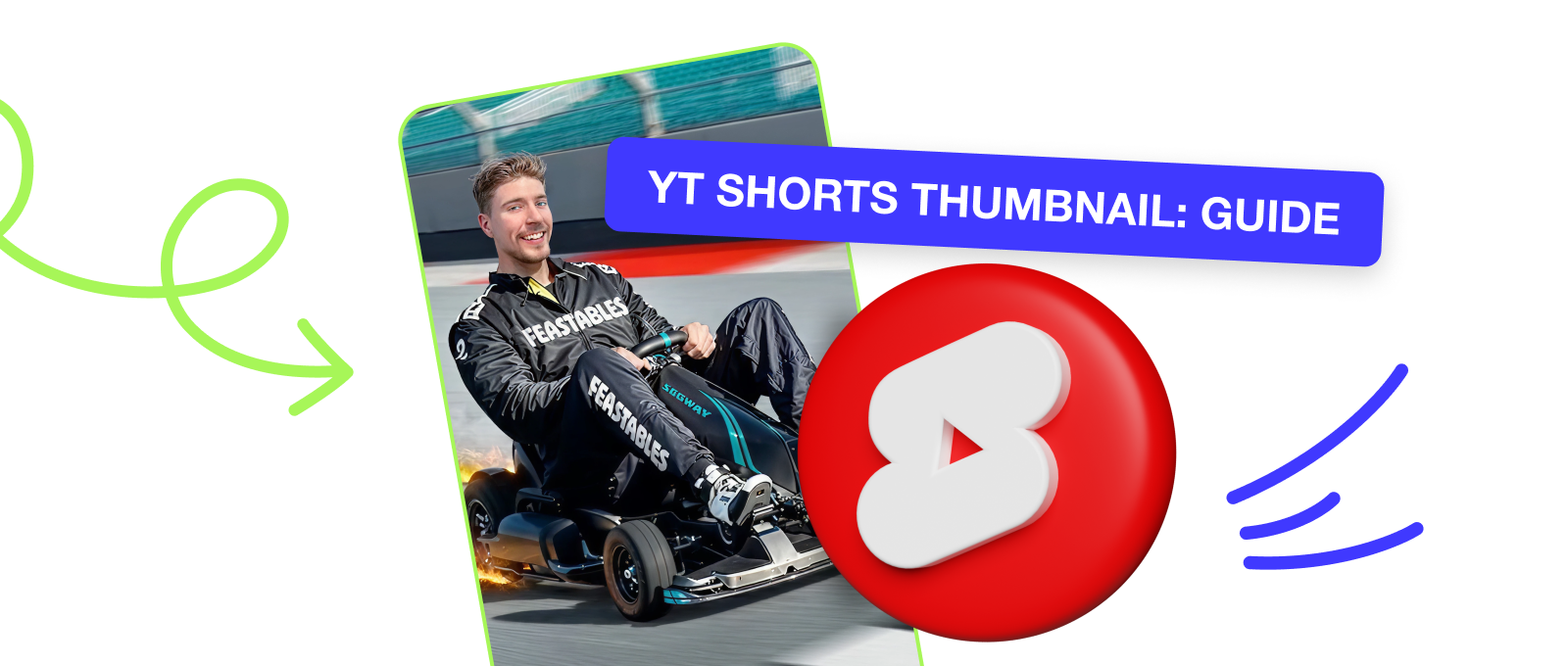
However, last year, the platform released an update which allowed creators to set their own YouTube Shorts Thumbnails, or select and process the desired still frames from videos themselves. In this article, we’ll tell you what to focus on when working with Shorts thumbnails, what mistakes to avoid, and why it’s worth paying attention to now. So, here is your YouTube Shorts monetization guide!
What a YouTube Shorts Thumbnail Is and Why You Need It
You’ve probably wondered if it’s worth spending time and resources to create custom YouTube Shorts Thumbnails. Right now, there is only one answer to it: yes, absolutely. In Mediacube’s experience, if a platform rolls out an update that could directly or indirectly affect your views, it’s worth looking into it at least initially to evaluate the new features.
So let’s think strategically. Yes, almost all traffic comes to you from a continuous feed. Nevertheless, your Shorts show up in recommendations on the YouTube homepage, in a separate tab on your channel and, most importantly, in Google search results. Let’s say you increase your CTR by about 2% thanks to the thumbnail. But growth is growth, however imperceptible it may be at first. Besides, you probably don’t need to explain that a user is more likely to click on a nicely designed video than on an obscure freeze frame.
Of course, horizontal thumbnails on main videos have a much stronger impact on the number of views, it’s one of the fundamental rules when working on the platform. However, with this new feature, you now have another tool to unify the look of your channel. If you’ve already decided on the style of your main thumbnails, you can customize your YouTube Shorts Thumbnails to match it and turn your channel’s design into a work of art.
How the New YouTube Shorts Thumbnail Feature Works

First, let’s take a look back at how it used to be. You’d upload your Shorts, and YouTube would pick a random frame from the video to turn into the thumbnail. You had no control over that. If you wanted to make your own thumbnail, you had to use third-party programs and manually set the picture at the beginning of the video.
How it works now. You upload Shorts, and the platform prompts you to either choose your custom thumbnail or pick a still image. You can process this picture with filters, set the desired lettering or logo and the thumbnail is ready.
Important: For now, uploading custom YouTube Shorts Thumbnails is only available through Studio and only to creators who participate in the affiliate program. The iOS and Android app should have this feature a little later. Right now, on your smartphone, you can select only the still frame you want and process it.
How to Add YouTube Shorts Thumbnails
As a reminder, Shorts is a 9:16 aspect ratio vertical video with 1920×1080 pixels. So your thumbnail should fit within those parameters. If it does, here’s how to add thumbnails to YouTube Shorts.
Uploading via smartphone
- Open the YouTube app.
- Click the + button and select Create Shorts.
- Record a video or upload one from the gallery.
- After adding music, text and effects, click Next.
- At the posting stage, there will be a new Select Cover button.
- Scroll through the video and pick any frame that works for you. Put effects and text on it and that will be your thumbnail.
- Confirm your choice and post the video.
Uploading via computer
- Open YouTube Studio.
- Go to Content, then go to Shorts.
- Find the video you want and click Edit.
- If the video was uploaded recently, you will see the Shorts Thumbnail box.
- Pick the frame you like or upload a ready-made image that you want to use as your thumbnail.
- Save the changes.
How to Change Thumbnail on YouTube Shorts

Here we have the opposite situation with uploading thumbnails: you can edit the image only in the mobile app, but not through Studio. Hopefully the platform will fix this situation over time, but for now you need to do the following.
- Open the YouTube app
- Click on your channel’s logo
- Click on Your Videos.
- Find the Short you want to edit.
- Click on the pencil icon in the left corner of the video.
- That will open a menu with a slider that you can use to select the freeze frame you want.
- Save the changes.
Rules for an Eye-Catching Shorts Thumbnail
As you may realize, the same rules apply for Shorts thumbnails as they do for standard thumbnails on long-form videos. We actually wrote an article about this recently, but let’s recap these points again.
1. Your thumbnail should make it immediately clear what Shorts is going to be about. Use the most striking frame from the video so that in half a second the user can get an idea of what the video is about.
2. Large font but little text. Again, this is to help the user read it as quickly as possible. You only need 3-4 words, like “Top Lifehack for Creators”, that will be enough.
3. Use contrasting colors. The cover should catch one’s eye with its color scheme. So a red, yellow, blue, black background with white/yellow text is an example of a good contrasting combination.
4. Don’t place text on the edges, use the center and top. The thing is, YouTube crops the edges and the text may be cut.
5. Try to make the thumbnail frame interesting without revealing the essence of the whole video. Create suspense.
6. Use your signature style, if you already have one.
7. Insert arrows, circles, enlarged snippets: show the user exactly what they need to look at.
As you can see, the rules are pretty much the same as with the standard thumbnails. By the way, if you need help with designing your thumbnails, Mediacube’s designers can help you with that.
Real-Life Examples of YouTube Shorts Thumbnails
As always, let’s learn from the best to improve. Let’s take a look at how Shorts are designed by YouTube’s chief “hacker” Mr. Beast, who spends a huge amount of resources trying to understand how the platform’s algorithm works.
Mr Beast
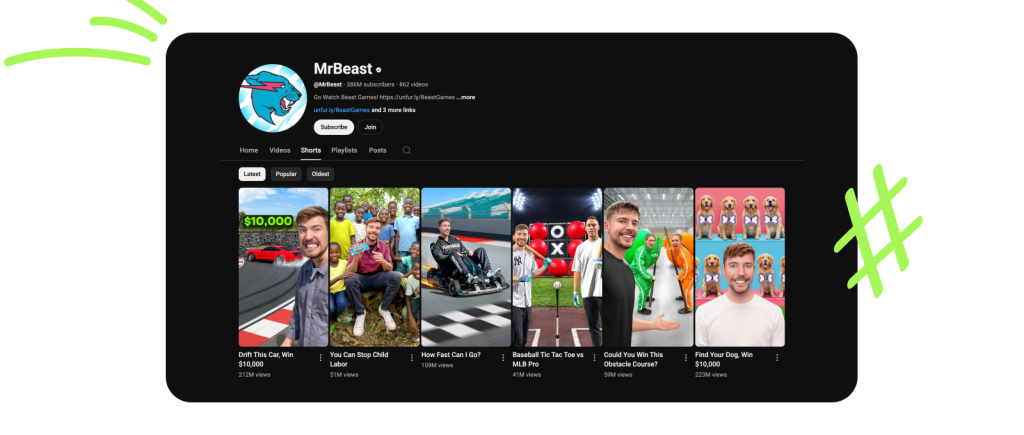
Note that Jimmy’s every thumbnail has been custom for a long time. It really works, and yes, the design of the Shorts tab does look homogeneous with the Videos tab. Contrasting colors, emotion, centering: everything is clearly visible. Also look at the titles: How fast can I go? and Could you win this obstacle course? The questions create intrigue, and you subconsciously want to watch these videos to learn the answers.
Let’s go down to the very bottom of the Shorts tab to see the huge difference.
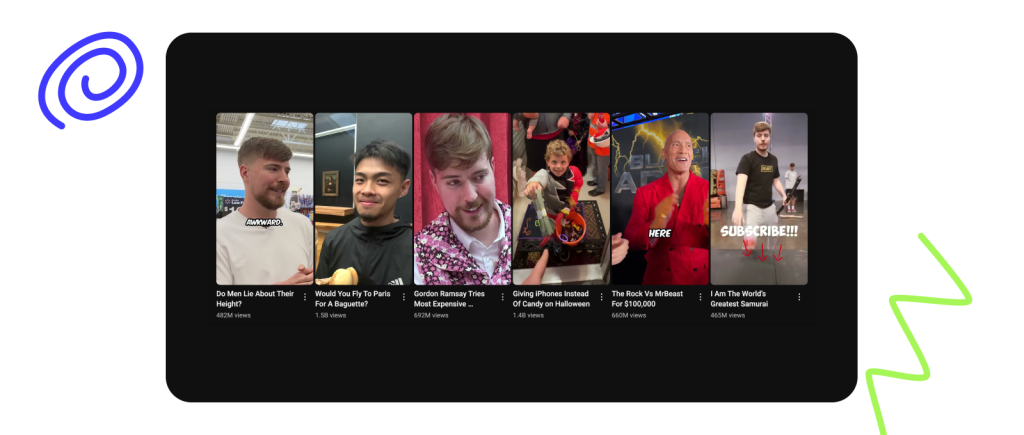
Random blurry frames, no styling, overly long headlines. As you can see, Jimmy is always working on himself, and that’s the only right approach when you’re a YouTube creator.
Ryan Trahan
Ryan Trahan, for example, takes a slightly different approach than Jimmy.

He apparently decided not to bother with custom covers, but he does pick the still frames he wants in the video to emphasize the topic of the video. That said, it all looks organic to Ryan’s content, who portrays himself as a very humble guy.
NFL
Let’s go from creators to large organizations. As you can see, the NFL doesn’t use custom covers or still image editing yet, so the feed of one of the most popular sports leagues in the United States looks extremely inconsistent. And with some not-so-great thumbnails.

Gucci
Meanwhile, fashion house Gucci, chose a middle ground tactic, which is to choose the right still images without captions, but in a consistent style. This gives the Shorts tab a concise and finished look.
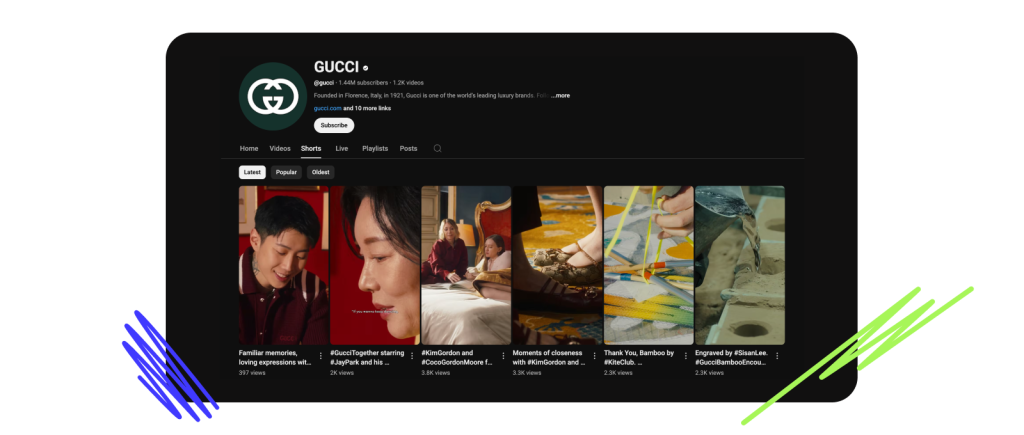
As you can see, the design of Shorts is up to each individual channel, but YouTube has already provided a tool to keep the style beyond just the homepage.
What’s next? Mediacube Predictions
Mediacube experts believe that introducing covers for Shorts is the right, albeit slightly late, idea. A lot of channels, especially those that were originally created to focus on short videos, have gotten a chance to refine the whole concept of their tabs and make them much more visually appealing.
As always, we recommend taking advantage of all the opportunities that YouTube gives creators, even if a solution doesn’t become mainstream later on. The platform is constantly pushing creators to try new things, and to be successful and increase your views, you need to keep up with updates.
The ability to edit YouTube Shorts thumbnails is a great idea. And as you could see, many, even the biggest channels, have already reformatted their tabs. So we urge you to give it your utmost attention.
Conclusion
You can always consult with Mediacube experts on any questions related to the design of your channel. Sign up for MC Pay, become part of our team, and you’ll get access to managers who have been working with YouTube for years and can give you really sound advice on how to grow your YouTube-channel.
And of course design your Shorts with the most clickable thumbnails in the world! Right now, there’s every opportunity to do that.
Good luck!